




Nota: Después del proceso de pago se le enviará la descarga al correo que registró. Cualquier duda, sugerencia o petición de una versión nos puede hacer llegar desde nuestro formulario de contacto.
- Sin virus, totalmente limpio, sin publicidad
- Última versión
- Archivos originales
- Soporte 24/7
- Pago seguro con Paypal o Visa/Mastercard
Version: 4.3.9
Ultima Actualización: 2018-04-25
Desarrollador: proword
Precio Normal: 20 USD
Descripción
Item description
Key Features
Clean Design
Responsive Layout
WPML Plugin Support
Multisite Support
Campatible with Visual Composer plugin
Assign Brands to Products
Create Your Custom Shortcode
10 different views
7 Awesome Shortcodes
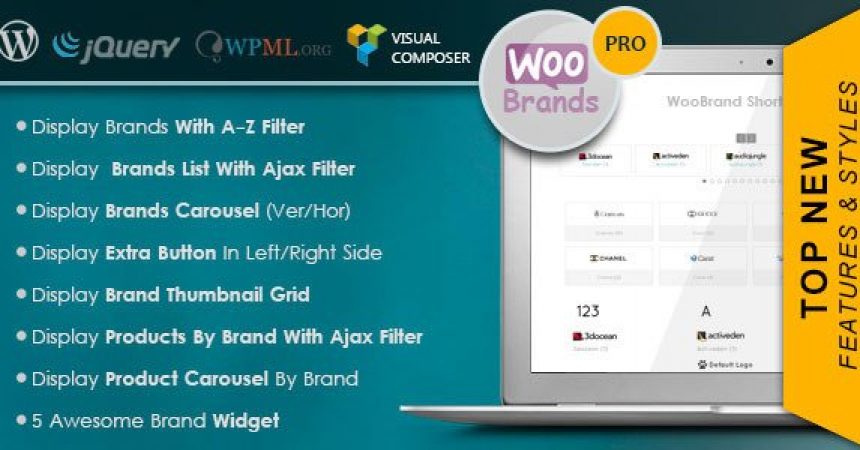
Display All Brands with A-Z Filter
Brands Thumbnail
Product by Brand With Ajax Filter
Display Vertical Carousel (Vertical Slider)
Display Horizontal Carousel (Horizaontal Slider)
Display All Brands in Text Mode
Display All Brands in Image Mode
Widgets
Display All Brands with A-Z Filter
Brands Thumbnail
Products Brand Filter(List/Dropdown)
Display Vertical Carousel (Vertical Slider)
Display Horizontal Carousel (Horizaontal Slider)
Display All Brands in Dropdown
Extra Button
Display Brands with A-Z Filter in Extra Button (Left/Right Silde)
Setting Page with Advanced Options
Customize “Brand” : Enter your title for displayed instead Extra Button title.
Display item from Brands or Categories.
Enable/Disable Display Brands Extra Button
Choose Extra Button Position (Left/Right)
Enable/Disable Display Brand`s Description in Single Product Page
Enable/Disable Display Brand`s Description in Product List
Enable/Disable Display Brand`s Image in Single Product Page
Enable/Disable Display Brand`s Text in Single Product Page
Enable/Disable Display Brand`s Image in Product List
Enable/Disable Display Brand in Product List
Set custom structures for your brand URLs in Admin->Settings->Permalinks
Display brand in even item in category product list
Display brand in even item in category product list
Add Default Image for Brand
You can set External link for Brands.If you set the url, When visitor click on a brand name, this url will be diplayed instead of brand page
Other Options
Enable/Disable Display Brand Title (Use in Carousel and Display All Brands in Image Mode)
Enable/Disable Display Number of Products Relate to Brand
You Can Add Featured Attribute to Brands (Products -> Brands -> Add new and Check Featured)
Enable/Disable Display Only Featured Brands
Enable/Disable Display Image (Use in Display All Brands in Image Mode)
You Can Enter Number of Item in Carousel
You Can Enter Number of Item per View in Carousel
Choose Position in Carousel (Left/Center/Right)