





Nota: Después del proceso de pago se le enviará la descarga al correo que registró. Cualquier duda, sugerencia o petición de una versión nos puede hacer llegar desde nuestro formulario de contacto.
- Sin virus, totalmente limpio, sin publicidad
- Última versión
- Archivos originales
- Soporte 24/7
- Pago seguro con Paypal o Visa/Mastercard
Version: 1.0.4
Ultima Actualización: 2018-04-20
Desarrollador: Codecanyon
USD
Descripción
Item description
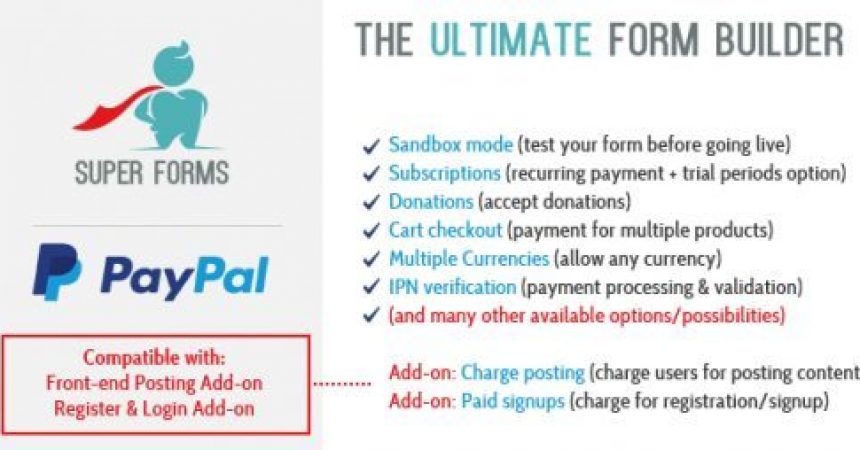
Checkout with PayPal after form submission. Charge users for registering or posting content.
With this Add-on for Super Forms you can create forms where users will be redirected to the PayPal’s checkout page. From “subscriptions with trial period checkouts” to “simple one product checkouts” it’s all possible with this add-on for Super Forms.
This add-on is also compatible with both: – Super Forms – Front-end Register & Login – Super Forms – Front-end Posting You will be able to charge users for registering and posting content
Because of it’s seamless integration with Super Forms your contact entries status will be updated after PayPal IPN has notified your website about a successfull payment. Along with this a new Transaction will be created so a record of payments will be kept within your WordPress back-end. Within the back-end you can also track current active/suspended/canceled subscriptions
Settings:
For all settings you can use {tags} to make your checkout even more dynamic
GENERAL SETTINGS:
Enable PayPal Sandbox mode (for testing purposes only)
PayPal merchant email (to receive payments) – Your PayPal ID or an email address associated with your PayPal account. Email addresses must be confirmed.
PayPal currency code
Select whether or not to prompt buyers for a shipping address.
Prompt for an address, but do not require one.
Do not prompt for an address.
Prompt for an address and require one.
PayPal payment method
Single product or service checkout
Donation checkout
Subscription checkout
Cart checkout (for multiple product checkout)
Enable custom return URL
PayPal return URL (when user successfully returns from paypal) – The URL to which PayPal posts information about the payment, in the form of Instant Payment Notification messages.
PayPal cancel URL (when payment is canceled by user) – User that cancels payment will be redirected to this URL
PRODUCT & DONATION CHECKOUT SETTINGS:
Item description (leave blank to let users enter a name) – Description of item. If you omit this variable, buyers enter their own name during checkout.
Item price (leave blank to let user enter their own price) – The price or amount of the product, service, or contribution, not including shipping, handling, or tax. If you omit this variable from Buy Now or Donate buttons, buyers enter their own amount at the time of payment.
SINGLE PRODUCT CHECKOUT SETTINGS:
Quantity (Number of items) – Note: The value for quantity must be a positive integer. Null, zero, or negative numbers are not allowed.
Weight of item (leave blank for none) – If profile-based shipping rates are configured with a basis of weight, the sum of weight values is used to calculate the shipping charges for the payment. A valid value is a decimal number with two significant digits to the right of the decimal point.
Item number (to track product or service) – Pass-through variable for you to track product or service purchased or the contribution made. The value you specify is passed back to you upon payment completion.
Discount amount (leave blank for no discount) – Discount amount associated with an item, which must be less than the selling price of the item.
Discount rate (leave blank for no discount) – Discount rate, as a percentage, associated with an item. Set to a value less than 100
Discount number – Number of additional quantities of the item to which the discount applies.
Shipping cost (applies to first item added to cart) – The cost of shipping this item.
Shipping cost 2 (applies to each additional item added to cart) – The cost of shipping each additional unit of this item.
SUBSCRIPTION CHECKOUT SETTINGS:
Subscription periods – Here you can setup the subscription price, time and periods
Put each period on a new line, seperate values by pipes, for example: 7 day trial for free: 0|7|D After trial 3 weeks for 5 dollar: 5|3|W After that $49.99 for each year: 49.99|1|Y Time format options: